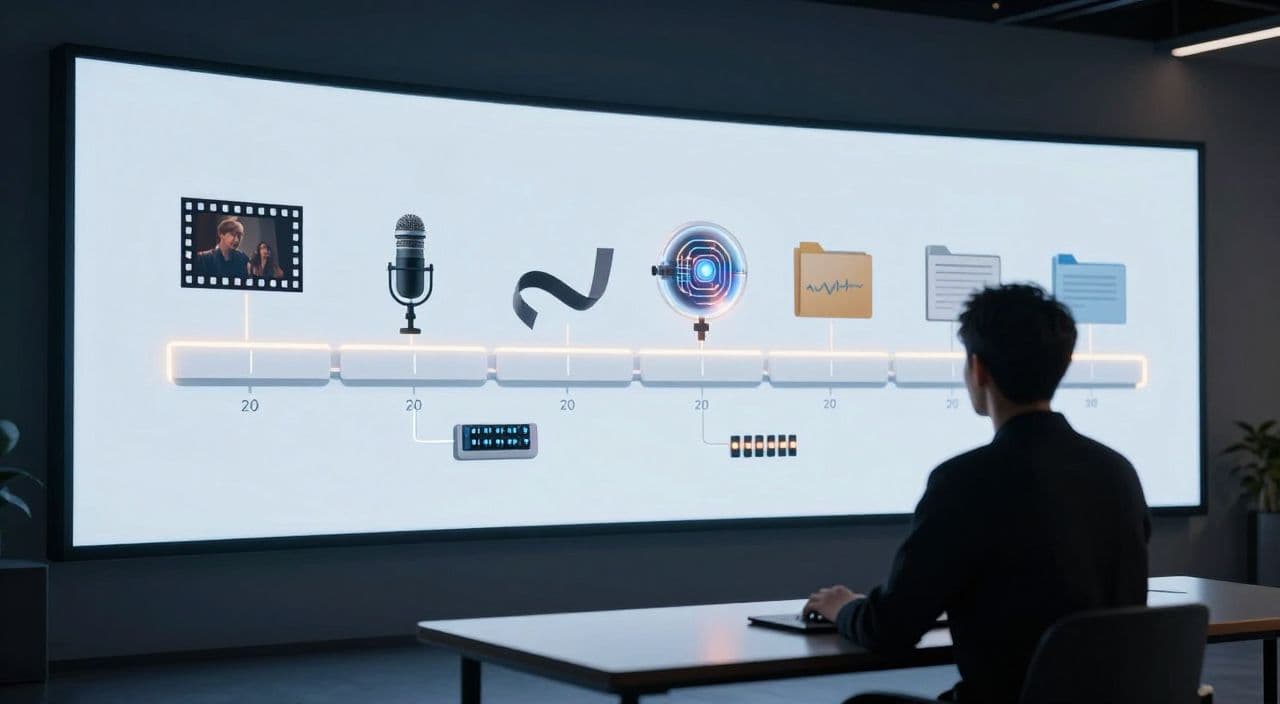
Most creators can imagine a 10-minute AI video. Very few can picture themselves consistently publishing 30-90 minute documentaries.
The gap isn’t “better AI.” It’s structure and workflow.
If you want to build a serious AI documentary YouTube channel, your job is to design a production system that you can run every week without burning out. Let’s walk through that system.
Why Long-Form AI Documentaries Are Worth It
Short content is great for reach, but long-form is where the real business lives:
- Longer sessions and higher watch time per viewer.
- More chances for mid-rolls and stronger AdSense potential.
- Easier to position as “authority” instead of disposable entertainment.
Think: 45-minute history deep dives, 60-minute business breakdowns, 90-minute “sleepy” science explainers. These become bingeable series, not one-off views.
AI finally makes this realistic for solo, faceless creators. But only if you’re intentional about format and process.
Step 1: Choose a Clear Channel Angle
Don’t just say “documentaries.” Pick a lane. Three that work well:
-
Authority deep-dives
- Niches: business case studies, tech history, geopolitical explainers.
- Tone: analytical, data-backed, “mini Netflix doc.”
- Viewer expectation: they learn something concrete.
-
Narrative storytelling
- Niches: true crime, rise-and-fall stories, biographies, conspiracies.
- Tone: cinematic, suspenseful, character-focused.
- Viewer expectation: they stay for the story arc.
-
“Sleepy” documentaries
- Niches: slow history, myths and legends, calm science explainers.
- Tone: soft, repetitive, low-intensity; ideal for 60-180 minutes.
- Viewer expectation: they half-watch, half-use as background.
Your angle dictates:
- Target length (30 vs 60 vs 90 minutes+)
- Pacing (fast cuts vs slow, lingering visuals)
- Voice style (calm vs energetic, neutral vs characterful)
Decide this once, then build everything around it.
Step 2: Design Topics and Series, Not Random Videos
Random uploads don’t build a documentary brand. Series do.
Examples:
- Business: “The Rise and Fall of X”, “How Y Makes Money”, “Inside the Z Industry.”
- History: “The Complete Story of [War/Event]”, “Empires Explained”, “The History of [City/Region].”
- Science: “The Science of Sleep”, “How Black Holes Work”, “Inside the Human Brain.”
Workflow for topic validation:
- Start with a niche (e.g., “Cold War history”).
- Search YouTube for “[topic] documentary”, sort by view count.
- Note what’s working: titles, thumbnails, lengths, angles.
- Turn winners into your own series with a twist (different angle, more depth, different tone).
Aim for at least 10 episode ideas in a series before you start. That’s how you avoid “episode 1 burnout.”
Step 3: Use a Script Structure That Scales to 30-90 Minutes
Don’t ask AI for “a 60-minute script.” You’ll get a shallow blob.
Instead, lock in a reusable structure. A simple 5-part frame:
-
Cold open (1-3 minutes)
A vivid moment, question, or contradiction. No intro fluff. -
Context + big question (3-7 minutes)
Who/what/when, and the core question: “How did this happen?” or “Why does this matter?” -
Chapters (the bulk)
5-10 chapters, each 4-8 minutes, either:- Chronological (Part 1: Origins, Part 2: Growth, Part 3: Crisis…)
- Thematic (Part 1: Money, Part 2: Power, Part 3: Impact…)
-
Climax / key insight (5-10 minutes)
The turning point, the scandal, the breakthrough, the lesson. -
Resolution + bridge (2-5 minutes)
Wrap-up and a soft bridge to the next episode or related topic.
Turn a Topic into an Outline (With AI, Properly)
Treat AI like a junior researcher, not a ghostwriter.
-
Prompt it for structure, not prose:
“Break the story of [topic] into 8 chapters for a 60-minute YouTube documentary. For each chapter, give:- A title
- Estimated duration
- 3-5 key beats
- One suggestion for visuals.”
-
Review and adjust:
- Remove redundant chapters.
- Merge weak ones.
- Add missing context or opposing viewpoints.
-
Only then, expand chapter by chapter:
“Write the narration for Chapter 3 (5-7 minutes) in a calm, educational tone. Use clear, simple language. Focus on [specific beats].”
This layered approach produces deeper scripts and keeps you in control.
Break Scripts Into Scenes
For production, think in 30-90 second scenes, not minutes-long blocks.
Per scene, define:
- Narration text (what’s said)
- Visual idea (stock footage, AI image, simple chart, map, etc.)
- Any on-screen text or key phrases
This makes voiceover, visuals, and editing far easier to manage and fix.
Step 4: Build a Stable AI Voiceover Workflow
AI voiceover is fine for documentaries if it’s consistent and listenable.
Guidelines:
- Pick one or two voices that match your niche (calm and neutral for history/sleep; slightly more energetic for business/tech).
- Generate audio scene by scene, not one 60-minute file:
- Easier to re-record small sections.
- Easier to adjust pacing.
- Listen through at least once:
- Fix mispronunciations (names, brands, places).
- Trim awkward pauses.
- Slightly slow down dense sections, speed up obvious ones.
Your voice is your “host” even if you never appear on camera. Consistency builds trust.
Step 5: Visuals Without a Camera
You don’t need cinematic footage. You need relevant, non-distracting coverage.
A simple visual strategy:
-
Stock-first
- Use stock for generic b-roll: cities, offices, landscapes, crowds, war footage, labs, factories.
- Overlay simple text, arrows, or highlights for emphasis.
-
AI-augmented
- Use AI images for:
- Historical scenes where no footage exists.
- Abstract ideas (economies, algorithms, “power struggles”).
- Maps, timelines, stylized portraits.
- Use AI images for:
-
Simple graphics
- Clean charts, timelines, and diagrams for data-heavy sections.
- Keep the style consistent across episodes.
Map each scene to a visual type in your script. That’s your shot list.
Step 6: A Lightweight Production Pipeline You Can Repeat
Document your pipeline as a checklist:
- Topic + angle chosen and validated
- Outline approved (chapters + durations)
- Script written per chapter, broken into scenes
- Voiceover generated per scene
- Visuals mapped and sourced/generated
- Assembly + basic transitions
- QC pass (facts, pacing, visuals, audio levels)
- Thumbnail + title
- Upload + basic analytics review
Once this is stable, you can:
- Increase cadence (e.g., 1× 60-minute weekly).
- Bring in help (VA for research, someone for QC) without chaos.
How AutoTube.pro Fits Into This Workflow
You can stitch this together with 5-7 tools, or you can centralize it.
AutoTube.pro is one option if you want an end-to-end pipeline for long-form faceless YouTube:
- Ideation and scripting
- Turn a topic into structured outlines, then expand into chapter and scene-level scripts inside one project.
- AI voiceover
- Generate narration per scene using multiple voice options, aligned directly to your script structure.
- Visuals without leaving the platform
- Combine integrated stock footage with AI-generated images based on your scene descriptions, and keep a reusable media library.
- Automated rendering for long runtimes
- Assemble scenes, transitions, and audio into rendered videos from 5 minutes up to 3 hours - ideal for 30-90 minute documentaries and even “sleepy” deep dives.
- Built-in thumbnail editor
- Design thumbnails in a Canvas-style drag-and-drop editor without jumping out to Canva or Photoshop.
The result: you keep creative control over research, angles, and quality, while the platform handles the repetitive glue work from script to rendered video and thumbnail.
FAQ: AI Documentary YouTube Channels
Is AI-generated documentary content monetizable on YouTube?
Yes, AI-assisted content can be monetized if it’s original, adds value, and follows YouTube’s policies. You need your own scripts, structure, and commentary rather than simple compilations or lightly-edited reused content.
Does YouTube penalize AI voiceovers?
YouTube does not automatically penalize AI voiceovers; what matters is overall content quality and originality. If your narration is clear, understandable, and supports a unique video, AI voice is generally acceptable.
How long should faceless documentary videos be for good RPM?
There is no magic length, but 30-90 minutes gives you room for depth and multiple ad breaks. Focus on watch time and viewer satisfaction first; longer videos only help if people actually stay.
How do I avoid shallow, generic AI scripts?
Avoid one-shot prompts and use a staged process: research, outline, chapter drafts, then refinement. Add specific examples, quotes, and verified facts manually so your script feels like a real documentary, not a summary.
What’s the best publishing schedule for an AI documentary channel?
Start with a cadence you can sustain, like one 45-60 minute video per week. Consistency beats sporadic “perfect” uploads, and your workflow will naturally speed up after a few episodes.
Will using stock footage hurt my channel’s uniqueness?
Stock footage is fine if your script, structure, and narration are original. Many successful channels rely heavily on stock; your differentiation comes from ideas, storytelling, and how you combine visuals with your narrative.
If you want to test this model without gluing together multiple tools, you can build your first 30-90 minute faceless documentary end-to-end inside AutoTube.pro and focus your energy on research and storytelling instead of wrestling with your tech stack.