Most “YouTube automation” advice skips the part you actually care about: how a single beginner can publish profitable 20+ minute faceless videos without hiring a team or wiring together 10 tools. Let’s fix that and walk through a realistic long-form blueprint you can actually execute.
What Faceless YouTube Automation Really Is (and Isn’t)
YouTube automation is not “press a button and print money.” It’s the process of turning research, scripting, voiceover, visuals, and publishing into a repeatable system so you’re not reinventing the wheel every video.
For a solo creator, “automation” means:
- Reusing structures and templates.
- Letting AI handle the heavy lifting (drafts, first passes, assets).
- Keeping your tool stack simple enough that you’ll actually stick with it.
Long-form is where this pays off. A 30-120 minute video gives you:
- More watch time per viewer.
- More ad slots per view.
- Better odds that your video runs in the background (sleep, study, chores).
Shorts are fine for discovery, but they’re not where you build a durable, faceless automation business. Your core asset is long videos people keep on for a long time.
Choose a Beginner-Friendly Long-Form Niche
You don’t need a genius idea. You need a niche that:
- Is evergreen (people will care next year).
- Works as audio-first (listeners don’t need to stare at the screen).
- Accepts AI voice if the content is solid.
Good long-form faceless niches
Examples that pair well with AI and stock/AI visuals:
-
Sleep / “sleepy” narrated content (60-180 minutes)
- “Fall Asleep to the History of Ancient Egypt”
- “3 Hours of Calm Space Exploration Stories”
-
Documentary-style explainers (20-60 minutes)
- “The Rise and Fall of Blockbuster”
- “How the Roman Army Actually Worked”
-
Storytelling channels
- Myths: “The Complete Norse Creation Myth (Told Slowly)”
- Sci-fi/horror: “A 40-Minute Cosmic Horror Story for Sleep”
-
Concept explainers
- “AI Agents Explained for Beginners”
- “How Inflation Works, Step by Step”
Quick niche validation (30-60 minutes)
- Search YouTube for “[topic] documentary”, “[topic] for sleep”, “[topic] explained”.
- Filter for 20+ minute videos, ideally faceless.
- Note:
- View counts relative to channel size.
- Video lengths (20 vs 60 vs 180 minutes).
- Repeating topics and title patterns.
If multiple small channels are getting steady views with similar long-form videos, the niche has legs.
The Long-Form Faceless Automation Pipeline
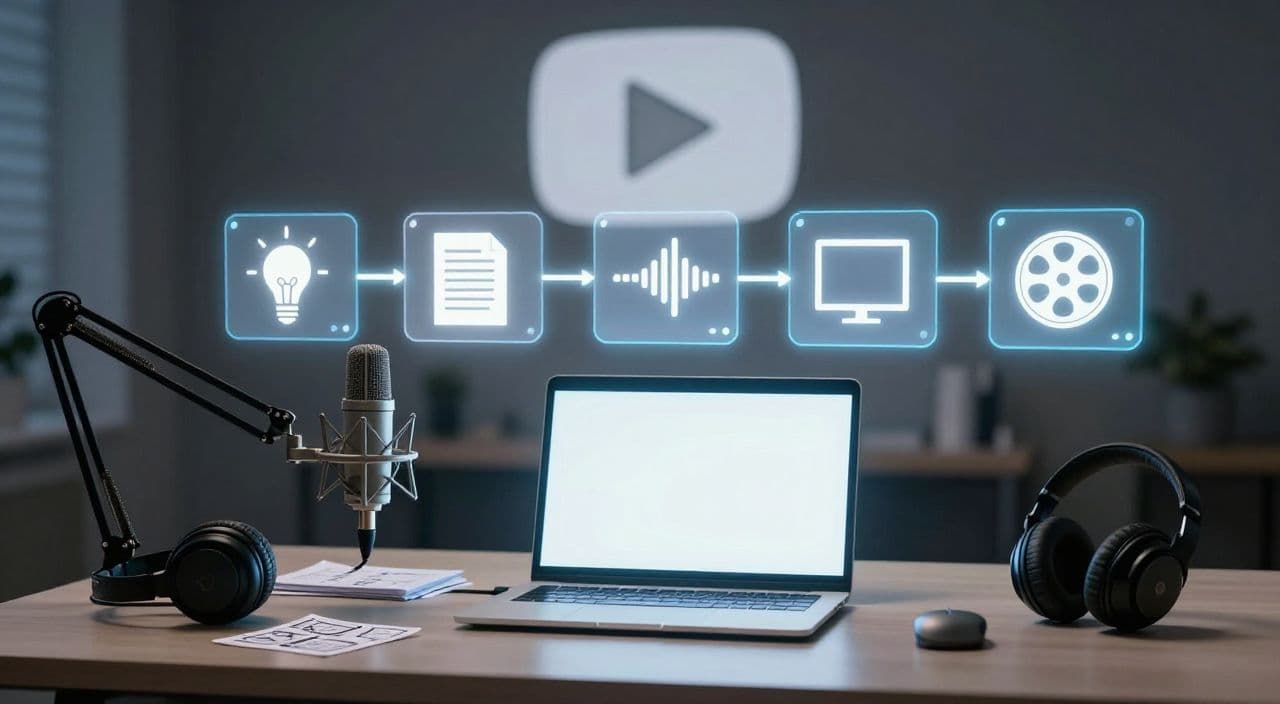
Think in stages. Every long video you make will run through the same 5 steps:
- Ideation & research
- Script generation & editing
- Voiceover production
- Visuals & assembly
- Rendering, upload, and optimization
Most beginners fail because they scatter this across 8-10 tools and 15 browser tabs. Your goal is to keep the pipeline tight and repeatable, even if you’re using separate tools for now.
Stage 1: Ideation and Research (Without Going Academic)
Start from a broad niche, then turn it into episodes.
- Broad: “Roman history for sleep”
- Episode ideas:
- “The Daily Life of a Roman Soldier”
- “A Slow Walk Through Ancient Rome at Night”
- “How Roman Roads Were Built, Step by Step”
For research:
- Use Wikipedia, a few reputable articles, and maybe a summary from a book or documentary.
- Pull out:
- Key dates, names, and events.
- 8-12 major points or “beats” you want to cover.
- Turn that into a simple outline:
- Intro / hook
- 6-10 sections
- Short conclusion or fade-out (for sleep, you might just taper off calmly).
This outline is what you’ll feed into AI later, instead of asking it to “just write a script.”
Stage 2: Scripting 20-180 Minute Videos With AI
Structure your script for retention
For a 20-45 minute video:
- Hook (first 60-90 seconds)
Make a clear promise: what they’ll learn or experience, and why it’s worth staying. - Context / setup
Give just enough background to make the rest make sense. - Chapters / sections
5-10 segments, each with a mini-hook at the start. - Soft recap / transitions
Briefly remind viewers where they are in the story; this steadies attention. - Close
Wrap up (for docs/explainers) or gently drift off (for sleep).
For 60-180 minute “sleepy” content, think modular:
- Build 6-12 segments of 8-15 minutes each.
- Reuse structures like “era by era”, “character by character”, or “step by step”.
Use AI as a co-writer, not the director
A practical workflow:
- You write the outline.
- Ask AI to expand each section into 300-600 words with a specific tone (sleepy, documentary, explainer).
- You edit:
- Remove clichés and repetition.
- Add your own transitions, analogies, and clarifications.
- Simplify sentences for easy listening.
Creators who get good results with AI repeatedly say the same thing: AI is great for structure and first drafts, but unedited AI scripts feel generic. Your judgment is the differentiator.
Stage 3: AI Voiceover for Long-Form
Voice is the product for sleep, documentaries, and explainers. If the voice is wrong, viewers won’t stay for an hour.
Pick a voice by niche
- Sleep: calm, warm, slightly slower than normal speech.
- Docs / explainers: neutral, clear, steady pacing.
- Stories: a touch more expressive, but not radio-theater dramatic.
Workflow:
- Split your script into logical sections (e.g., 300-500 words each).
- Generate voiceovers section by section.
- Listen through:
- Fix mispronunciations by adjusting spelling in the script.
- Nudge pacing where needed (especially for sleep content).
Don’t chase “perfect” on day one. Aim for “clear, consistent, not distracting.”
Stage 4: Visuals, Stock Footage, and Assembly
Your visuals don’t need to be cinematic. They need to be coherent and not jarring.
Visual strategies by niche
- Sleep
- Slow pans over AI-generated art or stock landscapes.
- Very gentle zooms, fades, and minimal movement.
- Docs
- Stock footage (cities, nature, workplaces).
- Maps, diagrams, archival photos.
- AI images for historical reconstructions.
- Explainers
- Simple diagrams and text overlays.
- Icons and abstract visuals for concepts.
Scene-by-scene approach:
- Take your script sections.
- For each, choose 1-3 images or clips that match the idea.
- Arrange them on a timeline under the voiceover.
- Add simple transitions; avoid flashy effects.
You can do this in a traditional editor, but for long videos (60-180 minutes), manual assembly will be the bottleneck unless your pipeline is streamlined.
Stage 5: Titles, Thumbnails, and Upload
For long-form, one clear promise beats cleverness.
-
Thumbnails
- One main visual.
- 2-4 words max, large and readable.
- Make the benefit obvious: “Fall Asleep to Rome”, “AI Agents Explained”.
-
Titles
- Front-load the topic: “Ancient Egypt: A 2-Hour Sleep Story”.
- Use words like “documentary”, “explained”, or “sleep story” to set expectations.
Optimize descriptions with natural keywords and a short summary of what’s inside; don’t overthink it at the start.
A Simple Weekly Workflow (First 30 Days)
Here’s a realistic solo schedule:
-
Week 1
- Pick one niche.
- Validate 3-5 video ideas.
- Build outlines for 2 of them.
-
Week 2
- Script Video #1 using the outline → AI draft → your edits.
- Generate and clean the full voiceover.
-
Week 3
- Source / generate visuals.
- Assemble, render, and upload Video #1.
- Draft the script for Video #2.
-
Week 4
- Review analytics from Video #1 (especially retention curve).
- Adjust structure and hooks for Video #2.
- Repeat the same pipeline.
Once you can reliably ship one solid long-form video per week, you can look at scaling to 2-4 per month.
How AutoTube.pro Fits Into This Workflow
Everything above can be done with a patchwork of tools, but that’s where most beginners burn out: multiple subscriptions, constant exports/imports, and fragile workflows.
AutoTube.pro is one way to collapse that stack into a single long-form engine:
-
End-to-end pipeline for long-form faceless videos
You go from idea → script → AI voiceover → visuals → rendered video → thumbnail in one place, specifically tuned for 5-180+ minute runtimes (including 1-3 hour sleep and documentary videos). -
Script generation built for long runtimes
You input your niche and topic, choose a tone (sleepy, documentary, explainer, storytelling), and get a long-form draft you can refine instead of starting from a blank page. -
Integrated AI voiceover
Generate full-length narrations from your script with multiple voice options and pacing controls, without bouncing between separate TTS apps and editors. -
Media generation + stock footage + rendering
The platform breaks your script into scenes, suggests AI images and stock clips, and renders the final video for you - critical when you’re working with 60-180 minute files that can crash consumer editors. -
Built-in thumbnail editor
You can design thumbnails with a Canvas-style drag-and-drop tool and AI thumbnail suggestions, so you don’t have to open Canva or Photoshop as a separate step.
If you want to test this entire blueprint without building a complex tech stack, running your first long-form video through an all-in-one tool can save a lot of friction.
FAQ: Faceless YouTube Automation for Beginners
Is AI-generated faceless content monetizable on YouTube?
Yes, AI-generated faceless content can be monetized as long as it follows YouTube’s policies and offers original value. Focus on unique scripts, useful or engaging information, and avoid simple re-uploads or low-effort compilations.
Does YouTube penalize AI voiceovers?
YouTube does not automatically penalize AI voiceovers; it cares about policy compliance and viewer satisfaction. If your AI voice is clear, non-spammy, and paired with original content, you can build and monetize a channel with it.
How long should faceless YouTube videos be for good RPM?
There is no magic length, but 20+ minute videos generally have more ad inventory and can support higher total revenue per view. Many long-form channels target 20-60 minutes for explainers and 60-180 minutes for sleep/ambient listening to maximize watch time.
How many long-form videos do I need before seeing revenue?
You typically need enough content to qualify for the YouTube Partner Program (watch hours and subscribers) and to give the algorithm something to test. A practical mindset is to commit to 10-20 solid long-form uploads in one niche before judging the channel’s potential.
Is it okay to start with only AI scripts and improve later?
You can start with AI-assisted scripts, but you should always review and edit them before publishing. Over time, adding more of your own structure, examples, and tone will significantly improve retention and differentiate your channel.
If you’re ready to stop juggling tools and want to run this entire long-form faceless workflow from a single dashboard, try building your first 20+ minute video inside AutoTube.pro and see how an integrated pipeline feels in practice.