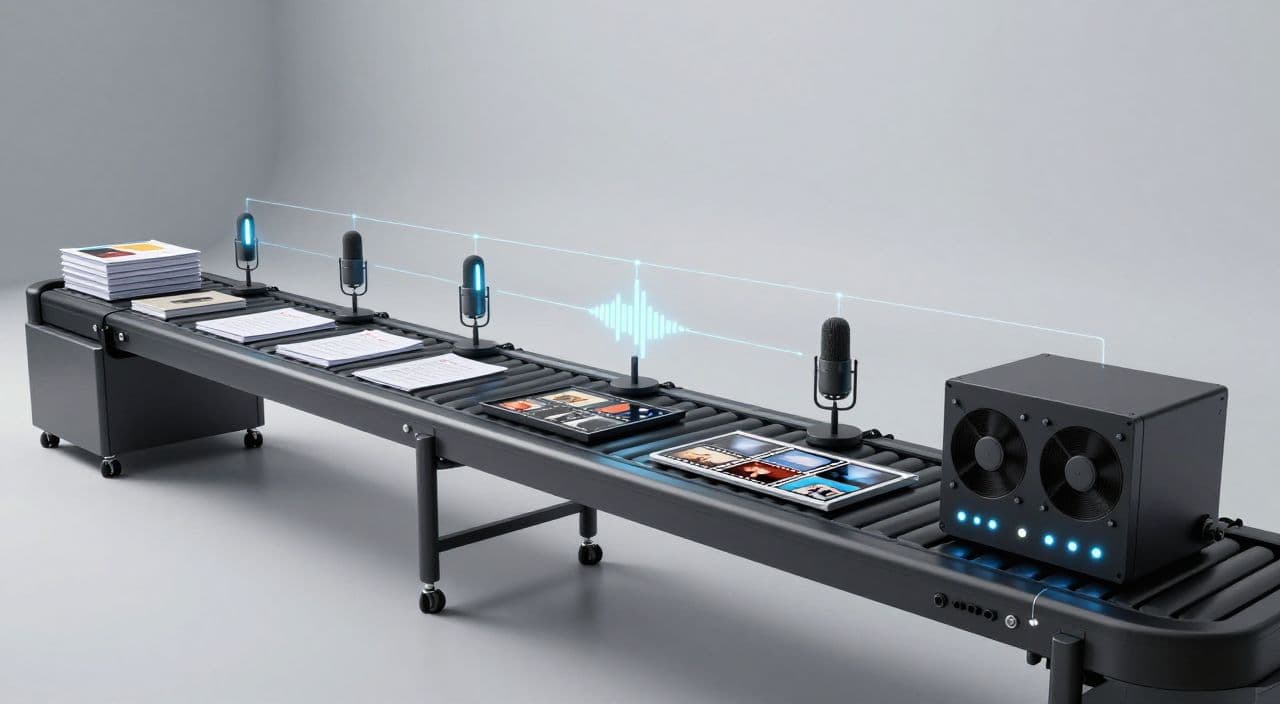
If you’re stuck at one long-form video per week, the problem usually isn’t “motivation” or “the algorithm.” It’s that every video is a one-off project instead of a repeatable production line.
Think of your channel as a small factory. Your “product” is a 30-180 minute video. If you want to scale without hiring writers, editors, or voice actors, you need an assembly line: clear stages, standard outputs, and batching.
This is how you go from 1 video/week to 3+ while staying solo.
Why You’re Stuck at One Long-Form Video Per Week
The Hidden Cost of One-Creator, Many Hats
Most intermediate faceless creators run every video like this:
- Come up with an idea
- Research it
- Write a script
- Record (or generate) voiceover
- Hunt for visuals
- Edit and render
- Design thumbnail
- Upload and optimize
You do these steps in order, for one video at a time. That means constant context switching: research brain → writing brain → audio brain → design brain. Each switch costs time and energy, so a single 60-minute documentary or 2-hour sleep story eats your entire week.
Tool Sprawl and Manual Handoffs
The typical “AI stack” looks like:
- ChatGPT for scripts
- ElevenLabs for voice
- Stock sites for footage
- An editor like Premiere/CapCut
- Canva for thumbnails
You’re downloading audio, uploading it to the editor, exporting clips, dragging files between folders, and trying to remember which script version is final. That friction is why so many people never get past one long-form upload a week.
Why Long-Form Faceless Channels Need an Assembly Line
Shorts can survive chaos because they’re tiny. Long-form is different:
- A 90-minute sleep story is more like a film than a TikTok.
- A 45-minute business breakdown has multiple segments, beats, and visual needs.
You need to treat each stage as its own station on a conveyor belt. Standardize the inputs and outputs, and suddenly you can work on multiple videos in parallel instead of one at a time.
The Assembly-Line Mindset for Faceless YouTube
Think Like a Factory, Not a Freelancer
Two mindset shifts:
-
Separate thinking from doing.
Thinking = picking topics, designing hooks, structuring formats.
Doing = drafting, generating voiceovers, creating visuals, rendering. -
Batch by stage, not by video.
Instead of “make one full video this week,” run:- Monday: ideas + outlines for 3-5 videos
- Tuesday: scripts for all of them
- Wednesday: voiceovers for all scripts
- Thursday: visuals + assembly
- Friday: thumbnails + uploads
Same total hours, but far more output because you’re not resetting your brain every 90 minutes.
The 5 Core Stages of a Long-Form AI Workflow
- Ideation & research
- Script creation & refinement
- Voiceover production
- Visuals & footage
- Assembly, rendering, and thumbnail
Your job is to define what “done” looks like at each stage. That makes it possible to batch and to improve each station over time.
What to Automate vs. What to Control Manually
Automate as much of the mechanical work as possible:
- First-draft scripts based on your outline
- Scene breakdowns
- Voice generation from final script
- Generating simple visuals or pulling stock
- Assembling and rendering timelines
Keep a human hand on the leverage points:
- Picking topics and angles
- Crafting hooks and titles
- Approving final scripts
- Quick quality checks before publishing
You’re not trying to disappear from the process; you’re trying to spend your limited “human energy” where it moves the needle.
Stage 1 - Ideation & Research: Filling the Conveyor Belt
Define One Clear Content Format Per Channel
Scaling is easiest when each channel has one main format. Examples:
- Sleep: “3-hour Greek mythology sleep stories”
- Documentary: “45-minute tech company deep dives”
- Explainer: “60-minute biology explainers for beginners”
- Story: “30-minute AI-generated horror stories”
When your format is fixed (length, structure, tone), AI and templates suddenly become powerful instead of chaotic.
Batch Topic and Angle Generation With AI
Once you have a format:
- Prompt an AI tool to generate 20-50 topic ideas in your niche.
- Add constraints: target length, target audience, evergreen vs trend, monetization potential.
- Save them in a simple board: “Ideas,” “Approved,” “In Production,” “Published.”
You should never be starting a week wondering what to make. Your conveyor belt should always have raw material ready.
Stage 2 - Script Creation: Turning Ideas Into Blueprints
Standardize Your Script Template
Create one template per format. For example:
-
Sleep story (2-3 hours):
- Gentle intro (5-10 minutes)
- Main narrative with very slow pacing
- Ultra-soft outro and affirmations
-
Documentary (30-60 minutes):
- Hook
- Background/context
- 3-7 main sections
- Recap and takeaway
-
Explainer (20-40 minutes):
- Problem/why it matters
- Core concept breakdown
- Examples/case studies
- Summary and next steps
Your template becomes the skeleton you fill with AI + human editing.
Use AI for Drafts, You for Structure and Voice
A practical workflow:
- You outline the sections and key beats.
- AI expands each section into a draft.
- You do one pass to fix pacing, remove repetition, and add any unique insights.
- Optionally, use AI again to smooth language without changing meaning.
This keeps you out of “blank page” hell but avoids the generic feel of raw AI scripts.
Stage 3 - Voiceover: From Text to Consistent Audio
Why AI Voiceover Is the Leverage Point
For long-form faceless channels, voice is the biggest bottleneck if you record manually. A 2-hour sleep story or 60-minute explainer can take multiple recording sessions, plus editing out mistakes.
AI voiceover lets you:
- Produce hours of narration without touching a mic
- Keep the same voice across dozens of videos
- Adjust speed and tone per niche (slow and soothing vs clear and energetic)
Match Voice Style to Your Niche
- Sleep: slow, soft, minimal inflection
- Documentaries: neutral, calm, authoritative
- Stories/animations: slightly more expressive, but still consistent
Pick one default style and stick with it so your channel feels coherent.
Stage 4 & 5 - Visuals, Assembly, Rendering, and Thumbnails
Systematize Visuals Instead of Reinventing Them
For long-form, you don’t need cinematic perfection; you need consistency and low friction.
- Sleep: slow-moving landscapes, abstract patterns, starfields, minimal cuts
- Documentaries/explainers: stock footage, simple animations, diagrams, light text overlays
- Stories: thematic images, light motion, occasional character or scene illustrations
Define 1-2 visual “recipes” per format so you’re not making design decisions from scratch every time.
Stop Hand-Editing Every Timeline
Manually editing 60-180 minute timelines is where most creators hit the wall. Your goal is:
- Script and voiceover define the structure
- Visuals are attached per scene or paragraph
- Assembly is mostly automated, with you doing only a quick review
Thumbnails should also be templated: same layout, fonts, and style, with only title/imagery changing. That’s how you keep quality high while output grows.
How AutoTube.pro Fits Into This Workflow
If you don’t want to stitch together six different tools and a no-code automation stack, you can run this entire assembly line inside a single platform.
AutoTube.pro is built specifically for long-form faceless YouTube (5 minutes up to 3 hours), so it maps cleanly to the stages above:
- Ideation & research: Generate and store long-form video ideas by niche and target length so your conveyor belt is always full.
- Script creation: Turn ideas into full scripts (including 1-3 hour sleep stories or documentaries) with scene-level breakdowns you can tweak, then lock.
- AI voiceover: Convert scripts to full-length narration with multiple voice options and adjustable speed/tone, without exporting/importing audio files.
- Visuals & footage: Auto-generate images per scene and pull in stock footage, building a scene-by-scene visual track aligned to your voiceover.
- Assembly & rendering: Automatically assemble script, voice, and visuals into a finished video and render even very long runtimes in the background.
- Thumbnails: Use the built-in Canvas-style thumbnail editor with AI thumbnail suggestions so you don’t have to jump out to Canva or Photoshop.
Instead of managing a fragile stack, you get an “assembly line in a box” tuned for long-form faceless formats like sleep, AI stories, explainers, and documentaries.
FAQ: Scaling a Faceless YouTube Channel With AI
Is AI-generated content monetizable on YouTube?
Yes, AI-generated content can be monetized as long as it follows YouTube’s policies and provides real value to viewers. Focus on originality, clear structure, and avoiding spammy, low-effort uploads.
Does YouTube penalize AI voiceovers or faceless channels?
YouTube does not penalize channels just for using AI voice or being faceless. What matters is watch time, viewer satisfaction, and policy compliance, not whether a human or AI read the script.
How long should my faceless videos be for better RPM?
There’s no magic length, but longer videos (20+ minutes) can support more mid-roll ads and often lead to higher total ad revenue per viewer. Choose a length that fits your format and you can deliver without padding or filler.
Will using AI scripts hurt my retention?
AI scripts can hurt retention if you publish them raw without editing. Use AI for structure and drafting, then do at least one human pass to tighten hooks, pacing, and clarity.
Should I start with long-form or Shorts for a faceless channel?
If your goal is a stable, higher-value business, long-form is usually the better foundation because it builds deeper watch sessions and more ad inventory per viewer. Shorts can be a discovery layer later, but don’t rely on them as your main product if you’re building long-form niches like sleep or documentaries.
If you’re currently capped at one long-form upload a week, set up your first assembly-line workflow and run it for the next 7 days; if you want an all-in-one place to do it, you can build that full pipeline - idea to rendered video and thumbnail - inside AutoTube.pro.