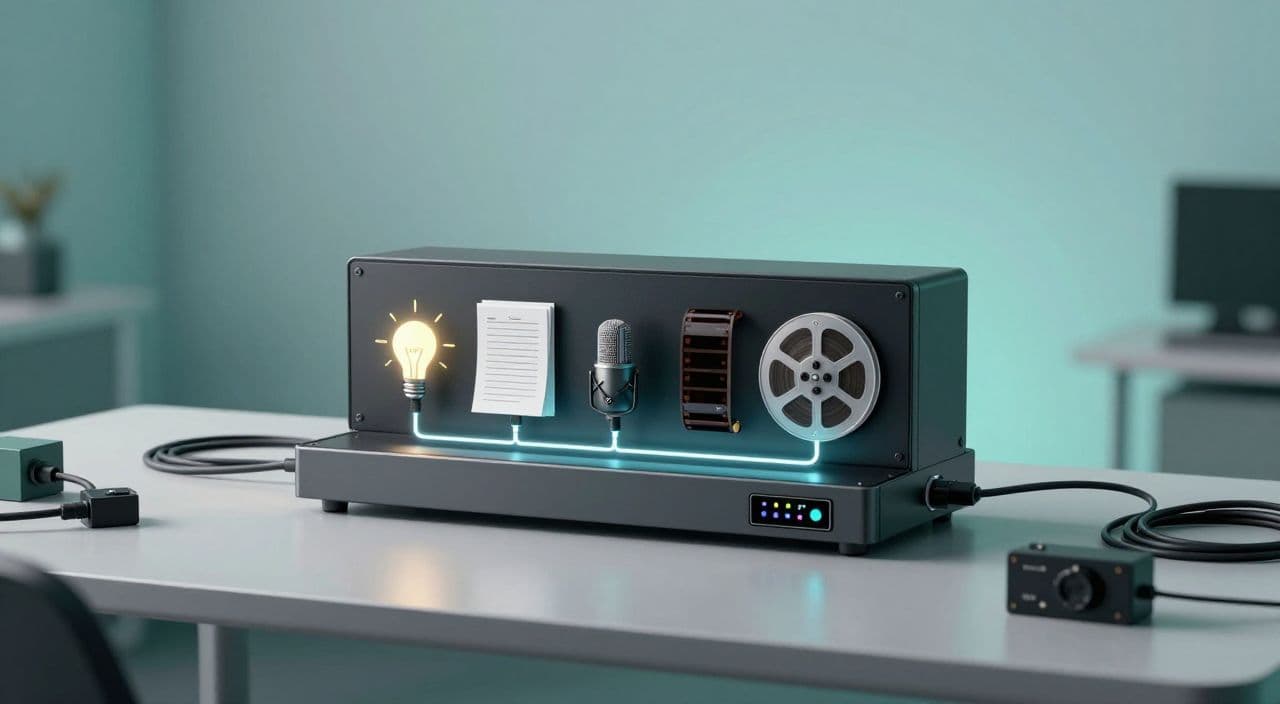
If you’re staring at n8n diagrams and Zapier workflows thinking “I just want to publish long videos, not become a no-code engineer,” you’re not alone.
You don’t need a web of tools to automate a long-form faceless channel. You need a clear production system, a few smart automation decisions, and a setup you can actually maintain.
Let’s build that.
Why Complex No-Code Stacks Break Most Creators
The viral workflows look amazing… on paper
Those “I automated my entire YouTube channel with n8n” posts usually chain:
- Idea → AI script
- Script → AI voice
- Voice + images → video assembly API
- Video → auto-upload + social posts
It’s clever. But to copy it you’re suddenly dealing with:
- API keys, auth tokens, and rate limits
- JSON payloads, webhooks, error logs
- Four to eight separate subscriptions
For a non-technical creator, that’s a second job.
Long-form makes the pain 10x worse
Shorts can get away with brittle workflows because they’re 30-60 seconds. If one step breaks, you redo 30 seconds.
With long-form faceless content (20-180 minutes):
- Scripts are longer and more structured
- Voiceovers are heavier files
- Visuals are dozens or hundreds of scenes
- Render times are much longer
Every extra tool is another failure point in a pipeline that already has a lot of moving parts.
What Actually Needs Automating in Long-Form Production
Think in stages, not tools. A long-form faceless video has five core phases:
- Ideation & research - topics, angles, titles
- Script writing & structure - outline, sections, pacing
- Voiceover creation - consistent, on-brand voice
- Visuals & footage assembly - images, b-roll, basic editing
- Rendering & thumbnail - export and packaging
You don’t need “one-click” automation for all of this. You need leverage.
What you should keep manual (for now)
Keep your hands on:
- Niche and topic selection - sleep stories vs. AI documentaries vs. explainers
- Angle and promise - who is this for, why should they care
- Brand voice and pacing - calm and slow for sleep, energetic for explainers
- Final quality check - fix weird transitions, awkward phrasing, bad visuals
Aim for 80% automated, 20% editorial. Let AI do the heavy lifting; you make the key calls.
A Simple Long-Form Workflow (Without n8n or Zapier)
Here’s a practical, tool-agnostic setup you can run in one or two tabs instead of fifteen.
1. Choose a long-form-friendly niche
You want topics people are happy to listen to for 20-180 minutes:
- Sleep / “boring” content - slow retellings of myths, history, science, biographies
- AI documentaries - deep dives into tech, companies, or events
- Explain-it-like-I’m-12 channels - 20-40 minute breakdowns of complex ideas
- Story channels - fictional sagas, creepypasta-style, or wholesome tales
Filter ideas by:
- Can this reasonably fill at least 20 minutes?
- Would someone play this in the background while sleeping, studying, or working?
- Can I see myself making 50+ episodes in this niche?
2. Script with AI, then impose structure
Use an AI writer, but don’t accept the first draft.
For a 30-45 minute explainer:
- Prompt for an outline with 6-10 sections (hook, context, main ideas, counterpoints, conclusion).
- Expand each section to 400-600 words.
- Ask AI to adjust tone (e.g., “calm, non-sensational, educational”).
- Manually smooth transitions and add your own examples or analogies.
For a 1-3 hour sleep video:
- Prompt for a very slow-paced outline with lots of repetition and gentle transitions.
- Emphasize “no cliffhangers, no sudden twists, no strong emotions.”
- Expand gradually; aim for simple sentences and descriptive language.
- Read a few paragraphs aloud yourself to check if it feels relaxing.
Your goal: a script that’s structurally sound and on-brand, not “AI-ish.”
3. Generate a consistent AI voiceover
Pick one AI voice per channel and stick to it. Consistency matters more than perfection.
- For sleep: soft, warm, slightly slower than normal conversation.
- For documentaries: neutral, clear, medium pace.
- For explainers: a bit more energy but not “radio host” levels.
Practical tips:
- Break the script into logical sections (chapters) before generating audio.
- Keep your loudness and speed settings consistent across videos.
- Always preview a few minutes to catch mispronunciations of names or technical terms.
4. Build visuals without overcomplicating
For long-form, visuals are often there to support listening, not demand attention.
You can combine:
- AI images for abstract concepts, myths, or fictional scenes
- Stock footage for real-world b-roll (cities, nature, office scenes, etc.)
- Simple text overlays for key terms in explainers
For 60-180 minute sleep or study videos:
- Use slow, minimal scene changes (e.g., new image every 1-3 minutes).
- Reuse visual motifs (same style, color palette, framing) to keep production sane.
- Avoid rapid cuts or heavy motion that might keep people awake.
5. Render and package for YouTube
Technical defaults that work for most long-form faceless content:
- 1080p, 24 or 30 fps
- Stereo audio, normalized to a comfortable level (no spikes)
- Simple fade-in/fade-out at start and end
For thumbnails:
- Clear, readable text at small sizes
- One dominant visual concept (e.g., “The Empire That Forgot How to Fight” with a simple image)
- Consistent style across your series so viewers recognize your videos
Example Workflows by Niche
Sleep story: 2-hour “boring history” episode
- Topic: “The Complete History of Obscure Medieval Bridges”
- Script: ultra-slow, descriptive, looping back over details
- Voice: soft, low-energy, slightly slower than usual
- Visuals: 20-40 static or gently animated images of old bridges, maps, countryside
- Publishing: 1-2 episodes per week, same title pattern and thumbnail style
AI documentary: 35-minute deep dive
- Topic: “How [Company X] Quietly Took Over [Industry]”
- Script: clear sections (origin, growth, strategy, controversies, future)
- Voice: neutral, confident
- Visuals: mix of stock corporate b-roll, AI diagrams, timelines
- Publishing: weekly series, each episode focused on one company or trend
When (If Ever) You Should Bother With n8n or Zapier
Custom automation makes sense when:
- You’re publishing multiple long videos per day
- You’re managing several channels
- You need cross-platform posting, analytics syncing, or custom dashboards
If you’re under 100 long-form uploads, your bottleneck is almost never “not enough automation.” It’s usually:
- Inconsistent publishing
- Weak topics or packaging
- Overcomplicated tech stack
Start with an opinionated, simple workflow. Add no-code plumbing later, if you truly outgrow it.
How AutoTube.pro Fits Into This Workflow
If you want the benefits of automation without wiring tools together, an all-in-one long-form platform can replace most of that stack.
AutoTube.pro is built specifically for long-form faceless YouTube (5 minutes up to 3 hours), so the pieces you need are already connected:
- Ideation and AI script generation tuned for explainers, documentaries, sleep content, and story channels
- Integrated AI voiceover with multiple voice options, so you don’t juggle separate TTS tools
- Scene-based media generation plus stock footage integration, tied directly to your script
- Automatic timeline assembly and video rendering, optimized for YouTube long-form
- A built-in thumbnail editor (a Canvas-style drag-and-drop tool) with AI thumbnail suggestions, so you can design and test thumbnails without opening Canva or Photoshop
The practical upside: instead of ChatGPT + voice tool + image tool + stock site + editor + thumbnail app, you run one project from idea → script → voice → visuals → render → thumbnail, then upload.
You can:
- Prototype a 20-30 minute explainer or a 60-120 minute sleep video end-to-end
- Save that project as a template for a recurring series
- Focus on improving your topics, angles, and retention instead of debugging workflows
AutoTube.pro doesn’t try to be a Shorts generator or a generic social media tool. It’s opinionated around the higher-value opportunity: long-form faceless content that can run for tens of minutes to hours and stack serious watch time over time.
FAQ: Long-Form Faceless YouTube Automation
Is AI-generated content monetizable on YouTube?
Yes, AI-generated content can be monetizable if it follows YouTube’s policies and adds clear value. Focus on original scripts, meaningful structure, and a real viewing experience rather than raw, unedited AI output.
Does YouTube penalize AI voiceovers?
YouTube doesn’t automatically penalize AI voiceovers; it cares more about overall content quality and policy compliance. As long as the audio is clear, non-spammy, and paired with valuable video content, AI narration is widely used on monetized channels.
How long should faceless YouTube videos be for good RPM?
There’s no magic length, but 10+ minutes unlocks mid-roll ads and gives you more watch time potential per viewer. Many faceless channels aim for 20-60 minutes, while sleep and study content often runs 1-3 hours to maximize background listening.
Is it risky to build a fully automated AI channel?
It’s risky to go fully hands-off because quality can quickly drop below what viewers and YouTube will tolerate. A safer approach is to automate drafting and assembly while you still review scripts, audio, and final renders before publishing.
Do I need Shorts if I’m focused on long-form faceless videos?
You don’t need Shorts to succeed with long-form, especially in niches like sleep, documentaries, and deep explainers where session length matters more than quick hits. Shorts can be a discovery layer later, but your core system should be built around consistent long-form uploads.
If you want to skip the no-code spaghetti and test a streamlined, long-form-first workflow, try producing one full video - from idea to rendered file and thumbnail - inside AutoTube.pro, then turn that into your repeatable series template.