Most people overcomplicate long-form faceless YouTube. They binge n8n blueprints, Airtable schemas, JSON2Video tutorials… and then never ship a single 60-minute video.
You don’t need a Frankenstack to validate a channel idea.
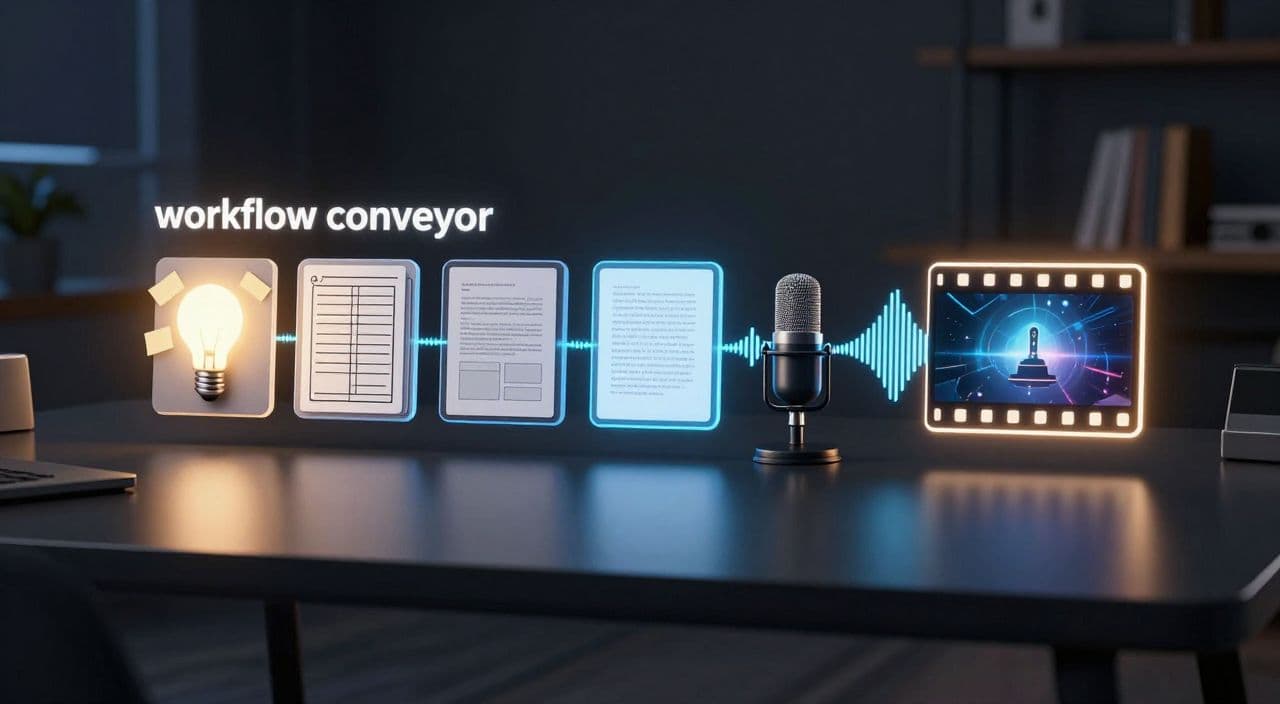
You need a simple, opinionated AI workflow you can run in one sitting: idea → outline → script → voiceover → visuals → render.
This guide walks you through that workflow, step by step, in a tool-agnostic way first. Then we’ll look at how an all-in-one platform can compress it even further.
Why Long-Form Faceless Videos Need Their Own Workflow
Shorts thinking breaks long-form production.
Shorts are about spikes: hooks, quick dopamine, and CTR. Long-form is about steady watch time and session length. Sleep videos, slow documentaries, and deep-dive explainers win because people let them run for 30-180 minutes while they sleep, study, or do chores.
That changes how you build:
- You care less about “every 3 seconds must be crazy” and more about low-friction pacing.
- You design chapters, not clips.
- You optimize for consistency over novelty: same voice, similar structure, recurring series.
Your workflow should reflect that: calm, repeatable, and mostly automated once you’ve made the key creative decisions.
The Real Bottlenecks in AI Long-Form Production
If you’ve tried to build this with random tools, you’ve probably hit at least one of these:
- Script chaos - AI gives you a 1,500-word blob, not a structured 60-minute narrative.
- Voiceover juggling - exporting MP3s from one tool, importing into another, fixing mistakes manually.
- Visual overload - no idea how many images/clips you actually need; you drown in B-roll hunting.
- Editing hell - most of your time disappears into a timeline instead of into ideas.
The fix is to design your workflow around 5 clear stages and lock in some constraints upfront.
The 5-Stage AI Workflow for Faceless Long-Form
1. Ideation: From Niche to Specific Angle
Start narrow. “Sleep videos” is not a topic. These are topics:
- “Fall Asleep to the Life of Cleopatra (60-Minute Calm History)”
- “90 Minutes of Cozy Explanations: How Black Holes Actually Work”
- “Greek Myths for Sleep: 10 Stories in One Night”
For each niche (sleep, AI explainers, AI documentaries, AI stories, animations), ask:
- Who is this for? (stressed students, history nerds, sci-fi fans)
- When will they watch? (falling asleep, background while working)
- How long should it run? (30, 60, 90, 180 minutes)
Then use your AI model to generate 10-20 angles and pick one that feels like part of a potential series, not a one-off.
2. Outline: Force a Chaptered Structure
A 60-minute video is not one script; it’s a sequence of segments.
As a rule of thumb:
- 60-minute video → 8-12 chapters of 5-7 minutes each.
- Sleepy content → longer, smoother chapters.
- Fast explainers → more, shorter chapters.
Prompt your AI something like:
“Create a detailed outline for a 60-minute YouTube video in the [sleepy history / documentary / explainer] style. Structure it into 10 chapters of roughly equal length. Each chapter should have a clear subheading and 3-5 bullet points of what to cover.”
Your goal here is flow, not prose. Check:
- Does Chapter 1 hook without being loud?
- Do chapters build logically?
- Could each chapter stand alone as a mini-video?
Only move on when the outline feels like a playlist you’d actually listen to.
3. Script: Avoid “AI Sludge” by Iterating in Layers
Don’t ask AI for “a 10,000-word script” in one go.
Instead:
- Chapter-by-chapter drafting
- For each chapter, prompt:
“Write a 1,000-1,200 word script for Chapter 3 of this outline. Tone: [calm / educational / narrative]. Use simple sentences, avoid jargon, and include gentle transitions between ideas.”
- For each chapter, prompt:
- Pass 2 - Human notes
- Skim each chapter.
- Add a few personal notes, facts, or transitions in brackets.
- Pass 3 - Polish
- Feed the draft + your notes back in:
“Rewrite this chapter into a smooth narration suitable for a 60-minute YouTube video. Keep the structure but improve flow and remove repetition.”
- Feed the draft + your notes back in:
For sleep content, explicitly ask for softer language and fewer sharp contrasts. For documentaries, ask for clear signposting (“In the next section, we’ll explore…”).
4. Voiceover: Choose for Stamina, Not Just “Wow”
A voice that sounds impressive in 30 seconds can be exhausting at 60 minutes.
When picking or configuring an AI voice, prioritize:
- Neutral clarity over heavy emotion.
- Stable pacing (no random speed-ups).
- Low listening fatigue (warmer, softer timbre for sleep; slightly more energetic for explainers).
Workflow tips:
- Generate per chapter, not as one giant file. It’s easier to fix sections.
- Keep a list of tricky words/names and standardize their pronunciation early.
- Listen to 2-3 minutes from the middle of the script, not just the first 30 seconds.
Your goal is a voice you can reuse across dozens of episodes.
5. Visuals: Set a Cadence and Stick to It
Most beginners massively overthink visuals for faceless content.
Decide your cadence up front:
- Sleepy history / myths: new visual every 20-40 seconds is often enough.
- Documentaries / explainers: every 8-15 seconds works well.
Then design a simple system:
- AI images for concepts that don’t exist (myths, ancient scenes, abstract science).
- Stock footage for generic B-roll (cities, nature, people, textures).
- Minimal movement: slow zooms, pans, or fades are usually enough.
The key is consistency: your audience should recognize your “visual language” after a few videos.
A Realistic One-Sitting Timeline for a 60-Minute Video
Here’s what a focused 60-90 minute session can look like:
- 0-10 min: Generate and pick topic + outline.
- 10-35 min: Draft and refine chapter scripts (with AI doing most of the typing).
- 35-50 min: Generate voiceover per chapter; spot-check and regenerate problem lines.
- 50-70 min: Generate visuals based on chapter summaries; adjust a few key scenes.
- 70-90 min: Quick pass to check structure, then kick off rendering.
You’re acting as editor-in-chief, not manual labor.
How AutoTube.pro Fits Into This Workflow
You can stitch this together with separate tools, or you can run it end-to-end in one place. AutoTube.pro is one option built specifically for long-form faceless YouTube (5 minutes up to 3 hours).
Here’s how it maps to the workflow above:
- Ideation & outlines
Input your niche and target length (e.g., “90-minute sleepy Greek myths”), and get topic ideas plus chaptered outlines optimized for long-form. - Script generation
Turn that outline into a full script, with controls for tone (sleepy, documentary, explainer, narrative). Edit directly in the browser before locking it. - AI voiceover
Generate long-form voiceovers with multiple narrator styles tuned for 30-180 minute listening. Regenerate specific sections without redoing the whole track. - Visuals & stock
AutoTube.pro parses your script into scenes, suggests visuals, generates AI images, and lets you pull in stock footage without leaving the workflow. - Automated assembly & rendering
Script → scenes → voiceover → visuals are assembled into a finished video automatically, with basic motion and transitions you can reuse as templates. - Thumbnail creation inside the same platform
Based on your title/script, you get AI thumbnail suggestions you can tweak in a built-in Canvas-style editor. No need for separate Canva/Photoshop just to ship a thumbnail.
The result: you keep the creative decisions (topic, angle, tone), while the platform handles the repetitive work of generation and assembly.
FAQ: AI Workflow for Faceless Long-Form YouTube
Is AI-generated faceless content monetizable on YouTube?
Yes, AI-generated faceless content can be monetized as long as it follows YouTube’s policies and provides original value. Focus on unique scripts, clear structure, and genuine usefulness (education, relaxation, storytelling) rather than pure automation for its own sake.
Does YouTube penalize AI voiceovers?
YouTube does not automatically penalize AI voiceovers; it cares about policy compliance and viewer value. Many channels use synthetic narration successfully, but you should ensure the audio is clear, non-misleading, and not used to mass-produce low-quality spam.
How long should faceless YouTube videos be for better RPM and watch time?
For most faceless niches like sleep, documentaries, and explainers, 30-60+ minutes tends to support stronger total watch time than very short videos. The exact RPM varies by niche and audience, but longer sessions give you more ad inventory and more chances to build a loyal viewer base.
What’s the minimum setup I need to start a long-form faceless channel?
You need a scripting workflow, a reliable AI voice, a way to generate or source visuals, and a basic editor or assembly tool. Start with a simple stack you understand, ship one 30-60 minute video, then improve from there instead of chasing complex automation from day one.
How many visuals do I need for a 60-minute faceless video?
A practical range is 100-300 visual changes for a 60-minute video, depending on your niche and pacing. Sleep content can reuse scenes longer, while fast explainers benefit from more frequent visual changes to match the denser information flow.
If you want to try this full “one sitting” workflow without wiring tools together, you can run it end-to-end inside AutoTube.pro - from idea to script, voiceover, visuals, rendering, and thumbnail - then decide if long-form faceless YouTube is a business you want to scale.