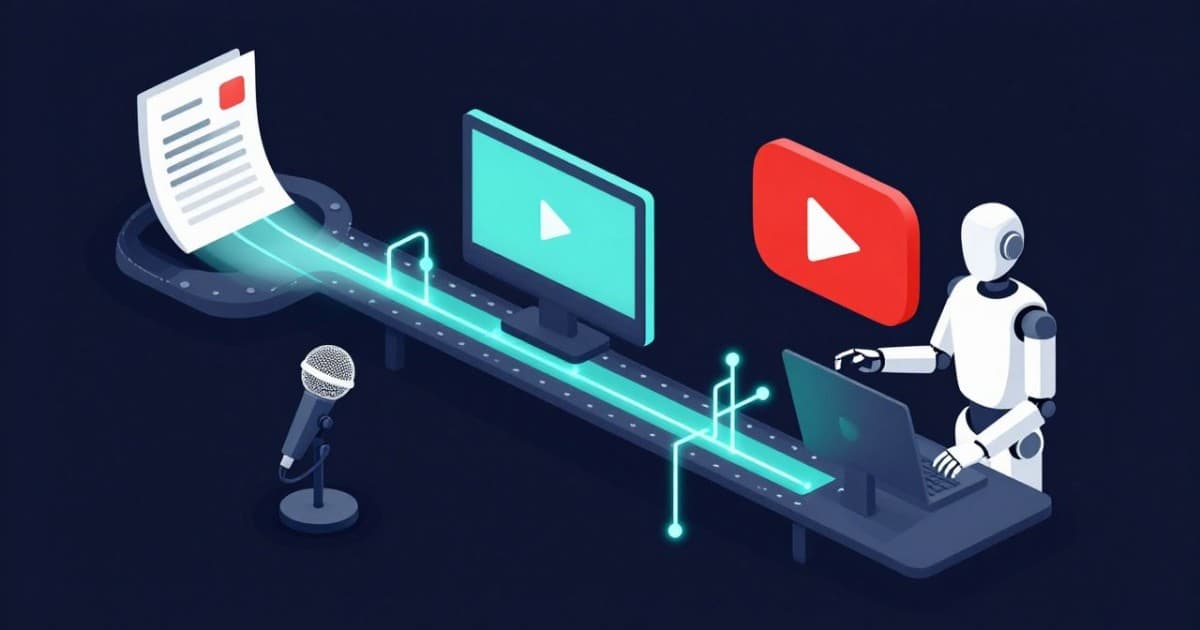
If you're building a faceless YouTube channel in 2026, the biggest risk isn't that AI isn't good enough. It's drowning in tools.
You sign up for an AI scriptwriter, a text-to-speech app, a stock footage tool, an "AI video generator," a thumbnail maker, and an automation SaaS. Six subscriptions later, you still don't have a clean way to produce one solid 15-minute video per week.
This guide cuts through the noise. It's an opinionated, long-form-first breakdown of what you actually need, what's optional, and what to skip entirely — whether you're making sleep content, AI explainers, documentaries, or story-driven animations.
Why Long-Form Faceless YouTube Deserves a Different Stack Than Shorts
Shorts are great for reach. But if you're building a business around faceless content, long-form is where the real leverage lives.
Long-form videos generate higher watch time per viewer, which sends a stronger signal to YouTube's recommendation algorithm. They unlock mid-roll ads, which dramatically improve RPM compared to Shorts monetization. They create space for 60-second sponsor integrations that simply don't fit in a 20-second clip. And they build deeper audience trust — people remember the channel that explained something for 15 minutes, not the seventh meme they scrolled past today.
You can absolutely add Shorts later as top-of-funnel content. But your production stack should be designed around 8 to 30 minute videos first.
Why Most "AI Video Generators" Break for Long-Form
Most of the flashy AI video tools launched between 2024 and 2026 are optimized for 30 to 90 second social clips, template-based slideshows, and repurposing tweets or podcasts into reels.
They break for long-form because they cap video length or become painfully slow after a couple of minutes. They don't handle chapters, narrative arcs, or pacing — they just loop the same visual style on repeat. And they're built around the "one prompt, one clip" model, not a structured 12 to 20 section video.
For a 15 to 30 minute AI explainer or documentary, you need something closer to a production system than a magic button.
The 6 Core Jobs Your AI Stack Must Cover
Before thinking about specific tools, think about the jobs that need to get done. Every long-form faceless channel requires six things, regardless of niche.
Job 1: Research and Ideation
You need to find topics people actually search for and angles that differentiate you from existing videos on the same subject.
For most faceless niches, the research process looks the same. Browse YouTube search and "up next" suggestions in your niche. Check Reddit, Quora, and niche forums for recurring questions that haven't been answered well on video. Study the titles and thumbnails of channels already winning in your space.
AI can accelerate this significantly. Use a general-purpose LLM like ChatGPT or Claude for topic expansion ("give me 20 video angles around AI tools for teachers"), series planning ("turn these 5 seed topics into a 10-episode documentary structure"), and title variation ("rewrite this title 10 ways with more curiosity hooks").
For sleep and relaxation channels, AI is particularly useful for brainstorming multi-night story arcs, guided meditation themes, and fantasy world concepts. For explainer and documentary channels, it's great for outlining multi-part series structures.
You only need one or two ideation tools. Overlapping niche research SaaS products are almost never necessary in the early stages.
Job 2: Scriptwriting for Long-Form
An 8 to 30 minute video script is a fundamentally different challenge than a short clip script. A 20-minute video typically requires 2,500 to 3,500+ words with proper pacing, clear section transitions, and a consistent narrative voice.
The script needs to be length-aware, structured with sections and callbacks, and voice-consistent so your channel feels like one narrator even though AI is doing the writing.
Generic chatbots struggle here. They default to listicle formats and generic introductions. They miss YouTube-specific pacing patterns like hooking viewers in the first 15 to 30 seconds and opening loops to sustain retention. And they don't enforce consistency between episodes.
For sleep story channels, you need scripts that maintain a calming, slow-building tone for 30 to 60 minutes — not just a short bedtime story padded out. For explainer and documentary channels, you need fact-checked, sourced structures rather than vague "AI is changing everything" filler.
Regardless of which tool generates the first draft, always do a human pass on three things: the intro (hook, promise, and curiosity gap), calls to action (subscribe prompts and series continuity), and any factual claims, especially in tech-adjacent content where information moves fast.
Job 3: Voiceover and Audio
Your AI voice needs to handle long scripts without degrading in quality, allow easy revision of individual lines without re-recording the entire script, and create a recognizable channel identity. Pick one or two voices and commit to them.
For sleep channels, you'll want slower, softer voices with minimal tonal variation. For documentaries and explainers, look for neutral, authoritative voices with solid pronunciation of technical terminology.
You do not need five different TTS subscriptions. One good text-to-speech solution that handles long-form reliably is enough.
Most faceless channels can get away with basic audio normalization and limiting. Advanced audio plugins are overkill unless you're doing music-heavy or ASMR-style content.
Job 4: Visuals — Stock Footage, AI Images, and Clips
Long-form visuals need to support the narrative, not just fill screen time. That means mapping script segments to relevant clips, mixing stock footage with AI-generated images for abstract or unique scenes, and incorporating minimal motion graphics like titles, lower-thirds, and simple charts.
The visual approach varies by niche. Sleep and relaxation channels work well with loops of calming scenes, slow camera movement, and abstract visuals. AI story and animation channels need AI-generated scenes, character art, and light animation. Explainer and documentary channels rely on B-roll of people using technology, server rooms, cityscapes, plus screenshots and diagrams.
The key disqualifier for any visual tool: if it only creates slideshow-style videos with random stock and identical transitions, it won't hold viewer attention for 15 to 30 minutes. Long-form viewers notice repetition fast, and retention drops hard when every segment looks the same.
Job 5: Assembly, Editing, and Rendering
This is where most solo creators lose the most time. The goal is to turn script, voiceover, and visuals into a finished video without a 10-hour editing session.
Your assembly system needs to auto-align or semi-auto-align visuals with the voiceover timeline, add background music at appropriate levels, handle basic transitions and pacing, and render reliably for 8 to 30 minute timelines.
The trap most creators fall into is trying to become a full-time Premiere or DaVinci Resolve editor, manually dragging 100+ clips to match a 3,000-word script. The ideal workflow looks more like this: script feeds into voiceover, voiceover feeds into visual alignment, that produces a rough cut, you make light manual tweaks, and you export.
Job 6: Publishing, Analytics, and Optimization
For publishing, you need reliable upload and metadata handling (titles, descriptions, tags, chapters, cards, and end screens), a thumbnail creation process, and analytics.
YouTube Studio is more than enough for analytics in the early stages. Focus on three metrics: click-through rate, average view duration, and audience retention by segment. You don't need a separate YouTube analytics SaaS in phase one.
Light automation with tools like n8n, Make, or Zapier can be added later for auto-uploading from a render folder, auto-posting to social media, or logging performance to a Notion or Airtable dashboard. But this is a phase two concern.
Building Your Lean 2026 Stack: What to Actually Use
Now let's turn those six jobs into a concrete, minimal tool stack.
Option 1: The Duct-Tape Stack (Free / Low Cost)
If you want to start with zero commitment, you can cobble together individual tools for each job. A general LLM for research and scriptwriting. A standalone TTS service for voiceover. A stock footage subscription for visuals. A free editor like DaVinci Resolve or CapCut for assembly. YouTube Studio for publishing and analytics.
This works, but the integration cost is real. You're manually moving scripts into TTS tools, manually matching footage to segments, manually assembling timelines. For a single video, it's manageable. At one or two videos per week across multiple channels, it becomes a full-time job in itself.
Option 2: The All-in-One Engine Approach
The alternative is to centralize the core pipeline — from script through voiceover through visuals to rendered video — inside a single purpose-built tool, and only break out to specialized tools where you genuinely need them.
This is the approach AutoTube.pro was built for. It covers ideas through outlines through scripts tuned for long-form formats (sleep stories, AI narratives, explainers, documentaries, simple animations), integrated AI voiceovers with consistent channel voices, media generation and stock integration that matches visuals to script segments, and assembly plus rendering that produces a finished 8 to 30 minute video.
In practice, this replaces the scriptwriter, TTS app, stock footage matching, basic video editor, and the manual glue work between them. Instead of five tools and five logins, the core production pipeline lives in one place.
You still pair it with a general LLM for brainstorming, a pro editor if you want advanced motion graphics, a thumbnail tool or designer, and automation tools if you want custom upload workflows later. But the heavy lifting — the part that takes 80 to 90 percent of production time — is handled.
Research and Ideation: Keep It Simple
Your ideation stack should be exactly two things: a general LLM for topic expansion, angle refinement, and series planning, plus manual browsing of YouTube search results, Reddit (r/NewTubers, r/PartneredYouTube), and niche forums.
You don't need dedicated keyword tools on day one for most faceless niches. Focus on finding proven topics and writing strong titles first. SEO refinement comes later when you have data on what's actually getting clicks and watch time.
Voiceover: One Tool, One Voice
Pick one TTS solution and commit. If you're using an all-in-one engine, use its built-in voiceover for maximum speed and iteration convenience. Only add an external TTS provider if you need a very specific voice style that isn't available, or if you're producing content in multiple languages with specialized providers.
Either way, keep the pipeline as short as possible. Every handoff between tools is a point where you lose time and introduce errors.
Visuals: Match to Narrative, Not to Keywords
Whatever visual system you use, the critical capability is mapping clips to specific script segments rather than just searching for keyword-matched stock footage. A paragraph about "the future of renewable energy" shouldn't get the same generic solar panel B-roll that every other video uses.
Add external visual tools only when you have specific gaps: niche B-roll for certain professions or locations, hero scenes for AI storytelling with recurring characters, or custom diagrams and data visualizations for explainer content.
Editing: The 80/20 Split
For most faceless formats — sleep stories with ambient visuals, explainers with B-roll, documentaries with straightforward cuts — the all-in-one rendered output is good enough to publish directly or with very light tweaks.
Move to a pro editor (Premiere, DaVinci Resolve, Final Cut) only when your format specifically demands complex motion graphics, heavy text overlays, multiple interview sources, or fine-grained pacing control for high-production documentary content.
The goal is spending 80 to 90 percent of your time on content decisions (topic, angle, script quality) and 10 to 20 percent on production mechanics.
What to Skip in 2026: Tools That Waste Your Time
"One-Click Viral Video" Apps
If a tool markets itself around TikTok and Reels, has hard limits around 60 to 90 seconds, and has no concept of chapters or long timelines, it's built for a different game. These tools repeat visual patterns that bore long-form viewers, don't support nuanced storytelling, and train you to chase volume of clips rather than depth of videos.
If you want Shorts later, create them from your long-form content by clipping the best segments. Don't build your workflow around a Shorts-first tool.
Over-Engineered "No-Human" Automation Pipelines
In automation communities, people are wiring n8n plus OpenAI plus image models plus rendering APIs to create fully automated video pipelines. These are technically impressive, but they turn you into an automation engineer instead of a content creator. They're brittle — one API update breaks the chain. And when the input brief is weak, the output is indistinguishable from every other auto-generated video.
Full automation makes sense for highly templated listicles and simple motivational or quote channels. For anything that needs to hold viewer attention for 15+ minutes, you should stay involved in topic selection, angle and structure decisions, and quality control.
Redundant Tools That Bloat Your Stack
Pick one core production engine plus a general LLM for brainstorming. Standardize on one TTS solution. Drop any "AI video" tool that just stitches stock clips with generic text overlays without supporting long timelines or structured editing.
Every extra tool is another login, another monthly payment, and another point of failure in your workflow.
Example Stacks by Faceless Niche
AI Sleep and Relaxation Channels
The core needs are long, consistent audio and minimal, calming visuals. Your production engine should handle sleep story scripts or guided meditations, calm and slow AI voiceovers, and ambient visual loops with nature scenes or abstract patterns. Optionally add a dedicated audio tool for custom ambient soundscapes or long background loops. For thumbnails, stick to soft colors and clear, readable text.
The priority for this niche is audio quality and length above everything else. Visuals can be relatively simple if the sound experience is excellent.
AI Storytelling and Animation Channels
The core needs are engaging narratives and a distinct visual style with recognizable characters. Your production engine handles story outlines and scripts with episode arcs, narration voiceovers, and base visuals to cover the full story. Add external AI image or video generation tools to create recurring characters or signature scenes, and a pro editor if you want more animation-style pacing and transitions.
Build series formats from the start ("Episode 1: Origin," "Episode 2: Betrayal") so your stack can reuse structure, style templates, and visual assets across episodes.
AI Explainers and Documentaries
The core needs are clear, structured information delivery and visuals that illustrate abstract concepts. Your production engine handles research-assisted outlines and scripts, neutral and authoritative voiceovers, and B-roll plus AI visuals aligned to each section. Add a pro editor for custom charts, screen recordings, and complex timelines. Manually insert screenshots, data visualizations, and citations where accuracy matters.
Use AI for first-pass research, but always manually verify anything that could be wrong or outdated — especially in technology topics where information changes weekly.
How to Scale Your Stack Over Time
Phase 1: Validate (Videos 1 Through 20)
Use one production engine as your core pipeline, one LLM for brainstorming, a basic thumbnail tool, and YouTube Studio for analytics. Focus entirely on publishing 10 to 20 long-form videos and finding which topics and formats actually earn watch time. Don't optimize your stack. Optimize your content.
Phase 2: Optimize What's Working (Videos 20 Through 50)
Double down on winning formats. If AI explainers with case studies perform well, create a series. If sleep stories around specific themes work, expand that universe. Fix weak points based on data: if CTR is low, invest in better thumbnails; if intros lose viewers, rewrite the first 30 to 60 seconds more aggressively. Add light automation for uploading drafts and tracking performance.
Phase 3: Multi-Channel Scale (50+ Videos)
Run multiple faceless channels from one core engine. Create reusable templates for each format ("10-minute AI doc episode," "30-minute sleep story"). Add light team collaboration — one person on ideation, one on script quality control, one on thumbnails and metadata. At this stage, the tools don't change much. Your process and people are what scale.
Frequently Asked Questions
Can I really run a long-form faceless channel mostly with AI in 2026?
Yes. AI handles the heavy production work — scripts, voiceover, visual matching, and assembly. Your job is creative direction and quality control: choosing topics worth 20 minutes of someone's time, crafting strong intros, and making sure the final product actually makes sense. The creators who treat AI as a production team rather than a magic button are the ones building sustainable channels.
Does YouTube penalize AI-generated voiceover or content?
YouTube's policies focus on content quality and viewer value, not on how the content was produced. Channels using AI voiceover are monetized across every major faceless niche. The risk isn't AI detection — it's producing low-quality, repetitive content that drives viewers away, which tanks your metrics regardless of how it was made.
How long should a faceless YouTube video be for maximum RPM?
The sweet spot for most faceless niches is 10 to 25 minutes. This length qualifies for mid-roll ads (which require 8+ minutes), gives enough watch time to signal quality to the algorithm, and provides space for depth that builds subscriber loyalty. Sleep and relaxation content is an exception — those channels often perform best at 30 to 60+ minutes because the use case rewards length.
Is AI-generated YouTube content still monetizable in 2026?
Yes. Thousands of faceless channels using AI scripts, voiceover, and visuals are monetized through AdSense, sponsorships, and affiliate marketing. YouTube's monetization requirements haven't changed: 1,000 subscribers and 4,000 watch hours (or 10 million Shorts views). The content needs to provide value and not violate community guidelines, but the production method is not a disqualifier.
Should I start with Shorts or long-form?
If your goal is a sustainable faceless business with real revenue, start with long-form. Shorts can be added later as repurposed clips from your best-performing long videos. Most AI video tools are Shorts-focused by default, which is precisely why building a long-form-first stack gives you a structural advantage.
How many tools do I actually need to get started?
Four: a core production engine for the script-to-video pipeline, one general-purpose LLM for brainstorming, one thumbnail tool, and YouTube Studio. That's enough to publish your first 10 to 20 long-form videos and start collecting real performance data. Add tools only when you have a specific, data-driven reason to.
What about the fully automated n8n pipelines I see people building online?
They're impressive engineering projects, but they're better suited to people who enjoy building automation systems than to people who want to build YouTube channels. If you're a creator first, you'll get more leverage from a productized engine and a simple, repeatable workflow than from maintaining a custom automation stack that breaks every time an API updates.
Your Next Step
If you're serious about long-form faceless YouTube, your biggest win in 2026 is simplifying your stack, not adding more tools.
Start here: decide your primary niche, set a realistic publishing target like one to two long-form videos per week, and produce your next three videos through a single core engine instead of juggling five separate tools. Do a light human pass on each video, publish, and measure what happens.
If you're tired of duct-taping six different apps together for every upload, try AutoTube.pro on your next long-form video and see how much time and friction it actually removes from your workflow.